Can I really support myself with stock footage in 2021?
And why would I care, as a writer, filmmaker, or actor?
[Edited July 20, 2022, to add lower cost camera options.]
6K is here… and that means there’s never been a better time to generate stock footage! Many subjects that are saturated in HD and 4K are wide open territory in 6K. For instance, on Pond5 there are 9,250 results for “bacon frying” in HD, 4,950 in 4K, and just ***11*** in 5K+. If you’re one of the first to shoot bacon in 6K, you will get some of the first sales, and that will put your footage at the top of searches! Think of it like multi-level marketing — the first to supply 6K footage in any particular category will be at the top of the new pyramid, and make the most money.
6K cameras like the Panasonic GH6 are very affordable — buy one for only $1,997 plus tax:
Want more detail? Read on:
INTRODUCTION:
One of the greatest frustrations to me, as a busy TV editing freelancer, is that my personal time so often gets squeezed out by a schedule that is outside my control. And I never know when I’m going to hit a slow spell… even very successful people with an iron-clad résumé can go many months without work. My part of the industry doesn’t give me a pension… Without a pension or passive income, it is now estimated that a person needs to save over $1 million to retire, and many say over $4 million if you want to retire with any sort of comfort. We’re living longer than ever, and it costs!
On the surface, selling stock footage seems incredibly attractive. On my own schedule, I go out with my camera, take some video clips, and then coast on that income, helping ride out the ebbs and flows of my contracts. I can take videos at locations that inspire my creativity. If you’re an actor or filmmaker, you may find yourself with free time in between gigs, and sometimes even access to great film equipment before you return it to the rental house.
Even better, stock photographers can take vacations around the world, and pay for much or all of their trips by taking some shots while they’re away… plus write off trip expenses on their taxes!
But is stock footage income viable? In August of 2022, I can say a hearty YES! Rewind to 2018… Despite only uploading a few clips that year, it was my best year yet, with a whopping 100% increase of sales over 2017, which was already a record year. 2019 was even better. It is still only a side “hobby” income for me, but it continues to perform and grow… many of my clips have earned over $500 (one has passed $13,300), and my modest catalog earns me a very steady passive income. I’ve even gotten $1200 of sales on a Sunday!
THIS SHOT MADE $150,000?

It’s true! When I checked about 10 years ago, this 30 second clip shot with a DSLR had made over $75,000! By now, it certainly has made over $150,000, and probably a lot more. And that’s not even counting the several similar shots the creator shot on the same day, which have sold almost as well.
Many will tell you that the Golden Age of stock footage is over. That is simply not true! One TV show I worked on recently spent as much as $25,000 PER EPISODE on stock footage. Almost every TV series I work on uses it in some way, as it is usually much cheaper than sending a camera crew out to get the same shot. And with more people than ever before creating video content for the web, stock footage is in as much demand as ever!
My experiment:
Always an entrepreneur, I decided to test the theory that stock footage could help my writing. In mid 2011, I bought a DSLR, with some lenses and support gear. My wife was unable to do her regular acting work because of a pesky knee injury, so we felt even better about the investment… We could share the camera, and have double the productivity.
We went to the zoo, took a bunch of videos of the animals, and uploaded them to Pond5, a well known stock footage site. I also do motion graphics, so I whipped a few samples together and uploaded those too.

SAMPLE MOTION GRAPHICS CLIP – VIEW AT POND5
We waited excitedly for the money to come pouring in.
And waited.
And waited some more.
After a few months, we got a sale! One sale. $20, against over $2000 of gear investment.
Stock footage was clearly not a “get rich quick” scheme! But people DO make an income from it… some make six figures or more. What were we doing wrong?
I researched. A lot. Spent time on many stock footage sites, analyzing what sold, and who was selling. Bought and read books.
Our first mistake: only uploading to one stock footage site. Different sites specialize in different subjects, and have different customers. We decided to expand our footage to 5 different sites.
2nd mistake: just because you see a lot of something on the microstock sites doesn’t mean it sells. For instance, they are saturated with shots of zoo animals, because these are very easy to shoot. Only the very best will sell, and even these will be hard to find amidst the sea of similar shots. Other saturated subjects include flowers (my wife’s favorite), and clouds.

ZOO ANIMALS, FLOWERS, AND CLOUDS ARE EASY TO SHOOT, SO WILL BE SATURATED ON STOCK SITES
BUT GOOD ONES STILL SELL! VIEW AT POND5
It’s not that they don’t sell… for instance, my shot of this yawning zoo lion, taken on a family trip to the zoo, has had a few sales, but they won’t sell as often as unique subjects. Note here how I deliberately framed the shot to allow for ad text. This could have helped it sell.
That said, looking forward, our focus was to shoot and generate clips that were more in demand, and make sure they are uploaded to all the sites.
By 2012, we had about 30 clips, including our zoo stuff, on these 5 sites, and were averaging a $20 commission per week.
It doesn’t sound like much… Or does it?

LOOK FOR COLOR, INTERESTING MOTION OR
ACTIVITY, COMMERCIALITY, AND UNIQUE SUBJECTS
CLICK TO VIEW AT POND5
The potential:
Consider this: if we stopped at 30 clips, those clips would generate $1000/year. In 2 years, our camera equipment would be paid for, and the clips would continue to make $1000 every year. This is called a “passive income” — a steady income stream that continues with no further intervention.
But what if we keep on shooting? Read on below for some real-world calculations after 11 years of testing…

THERE ARE STOCK SUBJECTS EVERYWHERE – JUST LOOK AROUND YOU!
This was shot without a tripod,
as I was sitting at a table of a holiday banquet.
CLICK TO VIEW AT POND5
REAL WORLD CALCULATIONS:
After several years at it, and after conferring with stock author James Orlowski, I’ve come up with some real world calculations that will help you to strategize your stock footage.
Each well-shot 4k+ clip you upload (usually 10-30 seconds long) should average about $25/year*, and have a useful lifespan of well over 10 years. Since it takes an average of 30-60 minutes to shoot, import, select, upload, and describe/keyword each clip (assuming a shoot day where you shoot 5-10 usable clips), you could say that you make over $300/hour shooting stock footage. Not bad! The only catch: you won’t see the full $300 for 10 years.
NOTE: 1080p footage that you have already shot is worth uploading and will still sell, but anything that you shoot going forward should be in 4K or higher. It can be priced higher and will have a much longer lifespan. The exception is very high frame rate / slow motion — many cameras can shoot great super-slow motion in 1080p, but not 4k — this will sell well in 1080p.
So… the best way to make it work is to shoot and upload a lot, especially in the beginning. If you have 1000 good clips in your portfolio, they will generate $25,000 per year for the next 10 years, or $250,000 total. If you want a $100,000 yearly income from it, you will need a portfolio of 4000-5000 clips. That sounds like a lot, but keep in mind that you could shoot 4000-5000 clips in 1 year, and then stop shooting completely, and the portfolio would continue to generate $100,000 yearly with no further intervention**. $1+ MILLION for one year of work is pretty impressive!
Since you are building for the future, it is best to shoot in as high resolution as you can. If you are starting now, you should definitely shoot in 6K. 4K will still last a very long time, but 6K will price higher over that length of time.
The more you practice, the faster you will get. With experience, you’ll begin to find interesting angles of a location you never would have found in the beginning, so one trip to a location or home studio shoot might net 20-30 usable videos, while in the beginning you might have only been able to find 4 or 5. Also, your keywording will get faster and more efficient. At first, it would take me 3-5 minutes to keyword/tag one clip. Now, I do it in 30 seconds. Also, some sites, like Pond5, offer templates that can greatly accelerate your keywording, and even automatic keywording. All this helps your “per hour” figure increase, and frees your time to generate more clips!
* $25/year estimate depends on the clip being well shot, with appealing in-demand content, priced properly, and uploaded to at least 3 of the highest performing stock footage sites OR to Pond5’s “Exclusive” program. Learn more about how to do this by reading the resources below. Some types of content may sell for much more — for instance, exclusive locations, military footage, or anything shot with high end production values.
** These are simplifications, and not a replacement for your own research and testing. Also, the market continues to get more and more competitive, so most experienced stock footage shooters suggest that you never stop generating new material.

MY HIGHEST SELLING STOCK CLIP – Motion graphics sell too!
CLICK TO VIEW AT POND5
Another fringe benefit: most of the microstock sites have referral programs… If you refer another videographer to the site, you receive a commission on any footage they sell. This does not come out if their commission, so it is a win-win.
Stock sound effects:
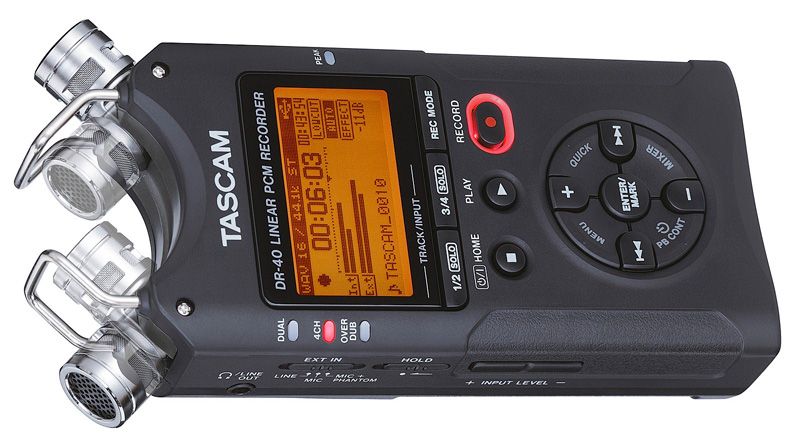
Not handy with a camera? You can actually make a lot of money with stock sound effects too! Audio files are easy to record with an inexpensive hand-held recorder like the TASCAM DR-40, take up very little hard drive space and internet bandwidth, and don’t have to be converted into various formats or edited with an expensive video application. If you really want to do this seriously, it doesn’t have to break the bank: I recommend also buying a shotgun mic like the RODE NTG-2 (available in a cost-effective kit with boom pole, wind shield & more!). The shotgun mic is by no means necessary, but allows you to isolate sounds from what’s around them. Keep in mind of course you can use this audio gear on your film projects too! Browse more audio gear HERE.
The caveats?
There are a few:
– you have to expend a lot of time and money in the beginning before you see any results. Luckily, great quality cameras are cheaper than ever. Starting costs can be $400-$3000, and don’t expect to see a significant return in the first few months.
– you’ll need a good internet connection, preferably with fast uploading and a high bandwidth allowance.
– it takes a fair amount of time to prepare and submit your clips to the various sites, including coming up with descriptions and keywords, and compressing to the different format requirements of each site.
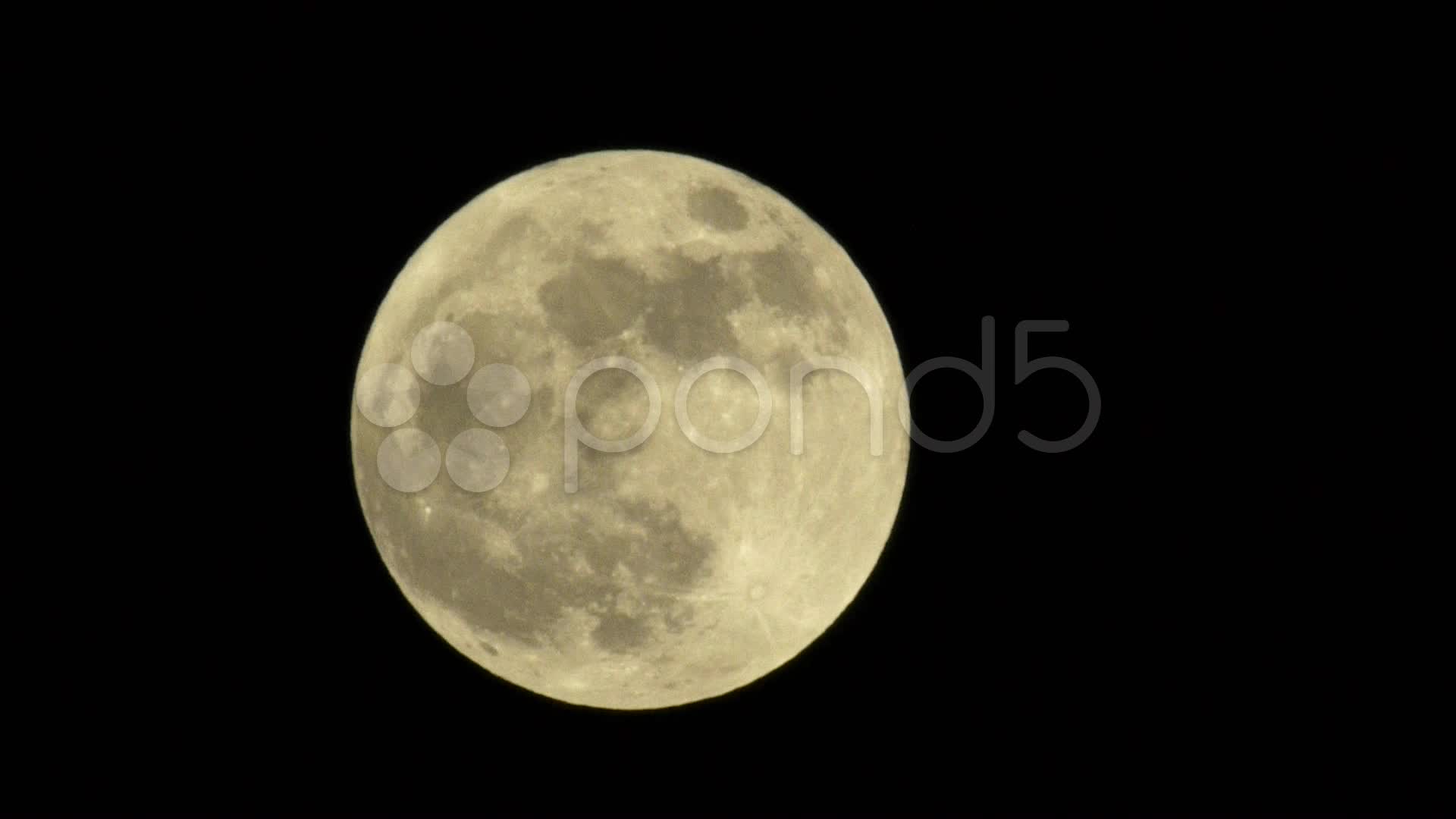
WHAT YOU CAN DO WITH A TELEPHOTO LENS! This was shot with a 300mm lens on a Panasonic GH2.
CLICK TO VIEW AT POND5
WHY 6K?
6K is roughly 8 times the resolution of 1080p. While there are many flavors of 6K, it will all price higher than 4K. Pond5, for instance, has a search option called “5K+” — that means 5.7K will appear in the same searches as true 6K.
Being an early adopter of 6K means that you will have 6K stock footage for sale before the market becomes saturated, as happened with photos and is steadily happening with 4K. And if you shoot in 6K the stock sites will automatically downrez to 1080p for customers that only need that resolution.
How do you get started?
1. Get the gear
Don’t forget that this gear is also an investment for other projects you do, from short films and webisodes to kick-butt vacation photos.
You may wish to lease equipment, as this delays much of the purchase cost until you start to earn income from it. Also, you may be able to write off as much as 100% of the payment on your taxes. However, you end up paying a lot of interest over the course of a lease term.
It may make sense to plan a full weekend or week of shooting, and rent the necessary equipment. If you are in a major US city, you can check out ShareGrid — for instance, if you live in LA, you can rent from my ever-expanding gear catalog HERE.
You may prefer to just buy the gear outright. You can start small, with just camera and tripod, and add other gear later as you can afford it.
There’s no reason it needs to be complicated. Here is…
MY RECOMMENDED GEAR FOR STOCK FOOTAGE:
Panasonic Lumix DMC-GH6
Not only will the GH6 shoot 6K footage, but it can take 100 Megapixel stills, and even shoot internal 10-bit ProRes. And if you have an Atomos Ninja V, it can record ProRes RAW:
LOWER BUDGET RANGE:
The DJI Pocket 2 is a steal, and produces amazing 4K footage, including timelapses and hyperlapses.
(NOTE that I highly suggest getting a combo with the “Do-It-All Handle,” like this one: DJI Pocket 2 Exclusive Combo (Sunset White) or this one with wireless microphone: DJI Pocket 2 Creator Combo.
RECOMMENDED DRONE:
Phones excel in lifestyle videos — just be aware that you need model releases for any person who appears in your shots (including yourself).



2. Research
Almost all of the microstock sites let you view their footage in categories, in order of what’s selling the most. Spend some time getting a feel for what you might shoot that would sell, and also what each site’s technical requirements are. Sign up for their email newsletters, because these show the week’s highest selling clips.
STOCK SITES: Shutterstock • iStockPhoto • Pond5 • Fotolia/Adobe • 123RF
I also recommend these books on photographic technique and stock footage:

ONE OF THE BEST WAYS TO BE UNIQUE: SHOOT LOCAL SUBJECTS
CLICK TO VIEW AT POND5
3. Shoot!
Most stock sites won’t approve you to sell until you submit a portfolio of clips to review. These should be a wide assortment of unrelated clips. They need to be your best work, taken on a tripod, with proper lighting and focus.
ADVANCED TIP: You can double your productivity by just taking two cameras to a location. For instance, while one camera is taken recording a long time-lapse shot, you can be getting details with your second camera. Since the gear is so cheap now, might as well double up!

WHEN IN DOUBT, SHOOT! This clip of an Alpaca chewing is overexposed because he was partly in the shade, and partly in bright sun. Yet… it has earned over $500, way more than the cost of a zoo membership! Just be aware many zoos have restrictions on commercial photography, and you may need to obtain releases.
CLICK TO VIEW AT POND5
Once you have shot and gathered this assortment of clips…
4. Sign up for stock sites – Pond5 Exclusive, or the 3-4 top sites
Please use these links (I will get a referral bonus):
STOCK SITES: Shutterstock • iStockPhoto • Pond5 • Fotolia/Adobe • 123RF • Can Stock Photo
– – – – – – – – – – – – – –
Pond5 has a very high approval rate for clips (though can be slow to process), lets you set your own prices, has a flexible system for tagging the clips, and is where I get most of my sales. Highly recommended! NOTE: I highly recommend Pond5’s Exclusive program if you are just starting out — you appear higher in searches, get clips approved faster, and get 60% commission, plus less work keywording and uploading. If you sign up for this program, you may NOT sell your footage on any other site.
– – – – – – – – – – – – – –

Shutterstock has VERY fast approval times, easy tagging system, a high approval rate, and generates lots of sales. Highly recommended!
– – – – – – – – – – – – – –
Adobe recently bought Fotolia, and since they did, have quickly grown to be my #3 in sales. But they are at best 1/3 of either Pond5 or Shutterstock. If you only apply to 3 (which is what I would recommend), Adobe should be your third.
– – – – – – – – – – – – – –
iStockPhoto has a cumbersome keyword system, very slow approval times, low approval rate, and very low percentage commission (18%, vs 40-60% at Pond5). Some report that they make up for it in traffic and number of sales, but that has not been my experience. They are most likely NOT worth the effort for you.
– – – – – – – – – – – – – –
Can Stock Photo has slow approval times, and very low sales for me. Useful if you want to spread your footage around as much as possible, but probably NOT worth your time.
– – – – – – – – – – – – – –

123RF is a newer player to the video game, having been primarily for stills before. They used to be my #3 selling site, but have dropped off and fallen way behind Adobe — they have a high approval rate, and relatively long approval times, but decent sales. If you only sign up for 4 sites, this should probably be #4.
– – – – – – – – – – – – – –

NO TRIPOD? BRACE YOUR CAMERA STRAP AGAINST YOUR NECK. THAT’S HOW I GOT THIS SHOT.
CLICK TO VIEW AT POND5
5. Consistently shoot & upload
Once you’re approved, keep shooting and uploading, to grow your portfolio over time. Consistency is key, and always keep your eyes open for ideas. Even network dramas use stock footage! When you watch TV or surf the Internet, try to get an idea of what stock videos are being used, and what might be in demand. And continue to get familiar with each stock site, to see where holes might exist in their catalogs.
A stock researcher once told me he needed a shot of bacon frying, and couldn’t find one on any of the stock sites. You could’ve shot that in your own home, as you made breakfast.
Yes, it could be that easy!

ALWAYS HAVE YOUR CAMERA WITH YOU! Be ready for opportunities and they will come!
CLICK TO VIEW AT POND5
Q & A
1. WHAT FORMAT TO SHOOT?
Generally, you should shoot and submit material as 4K UHD/30P at a minimum. 30P It sells twice as much as 24P material, and has the most frame information if being converted to other formats. If you shoot slow motion 60P, slow it to 50% and deliver it as 30P.
The exception — much television and film work is 24P. If you are specifically shooting to target those mediums, you may consider 24P, including the cinema resolution of 4K, 4096×2160 (if you shoot at 4096×2160 you can easily crop the right and left edges to deliver 3840×2160).
As mentioned above, I HIGHLY recommend shooting in 6K, to take advantage of a wide-open playing field. And 6K will price higher.
2. HOW TO ORGANIZE MATERIAL?
Even at the beginning, you MUST adopt a numbering/file name system — all my clips are dated when I shoot, and exported as 00121-ThisItem, 00122-ThatItem. Then keep an Excel spreadsheet for all the clips, with Title, Description, Key Words, and other information (like where you have submitted the material) all in one place.
Also, I suggest having short names for compression format – PJ75 for Photo Jpeg 75, PJ95 for Photo Jpeg 95, etc. That way you can easily find the right clips later. So for each clip I might have:
00121-ThatItem-30P-PR.mov (PR=ProRes, my editing format)
00121-ThatItem-30P-PJ75.mov (PJ75 is accepted by most stock sites)
00121-ThatItem-30P-PJ95.mov (PJ95 is required by iStockPhoto and MotionElements)
3. HOW TO PRICE CLIPS?
$60 for HD and $80 for 4K seems like a sweet spot between having the appearance of quality (i.e. not seen as “cheap”) but still very affordable for most buyers, and nets me $30-40 per sale.
In my testing, I have NOT found that dropping the price increases sales. There are many buyers who will deliberately avoid the lower priced clips, thinking they must not be as professionally done.
That said, buyers often sort the stock footage catalogs based on number of views, or number of sales. There may be an advantage to TEMPORARILY offering your clips at the lowest possible price after they are first approved, to gain views and sales. After about a month, you can bump up your prices, and your stock clips will appear higher in the searches. For the same reason, I suggest opting in to the “free clip promotions” offered on many sites — this is set on a clip-by-clip basis.
NOTE: Any material that is particularly rare, in high demand, very high quality, or selling well, may be priced MUCH higher. For instance, if you have special access to military footage, it can sell for as high as $1000 per download. Or, if you shoot with very high production values (for instance, with professional models and a 4K or RED camera), you may price the clips at $200-$400 per download. 50% of every download will go to you… pretty sweet!
More questions? Please leave them in the comments below!